
Going Back to a Previous Version of a Page or Post
Revisions allow you to revert to an earlier published version of a page or post. The system stores up to 25 versions, allowing you to go back to any of them.
We can take care of content updates for you
Our websites are based on a custom version of the industry‑standard WordPress system. If you’re not familiar with WordPress but need your pages or blog posts updated frequently, we offer a convenient website updating service—just let us know if you’re interested.
Accessing Revisions
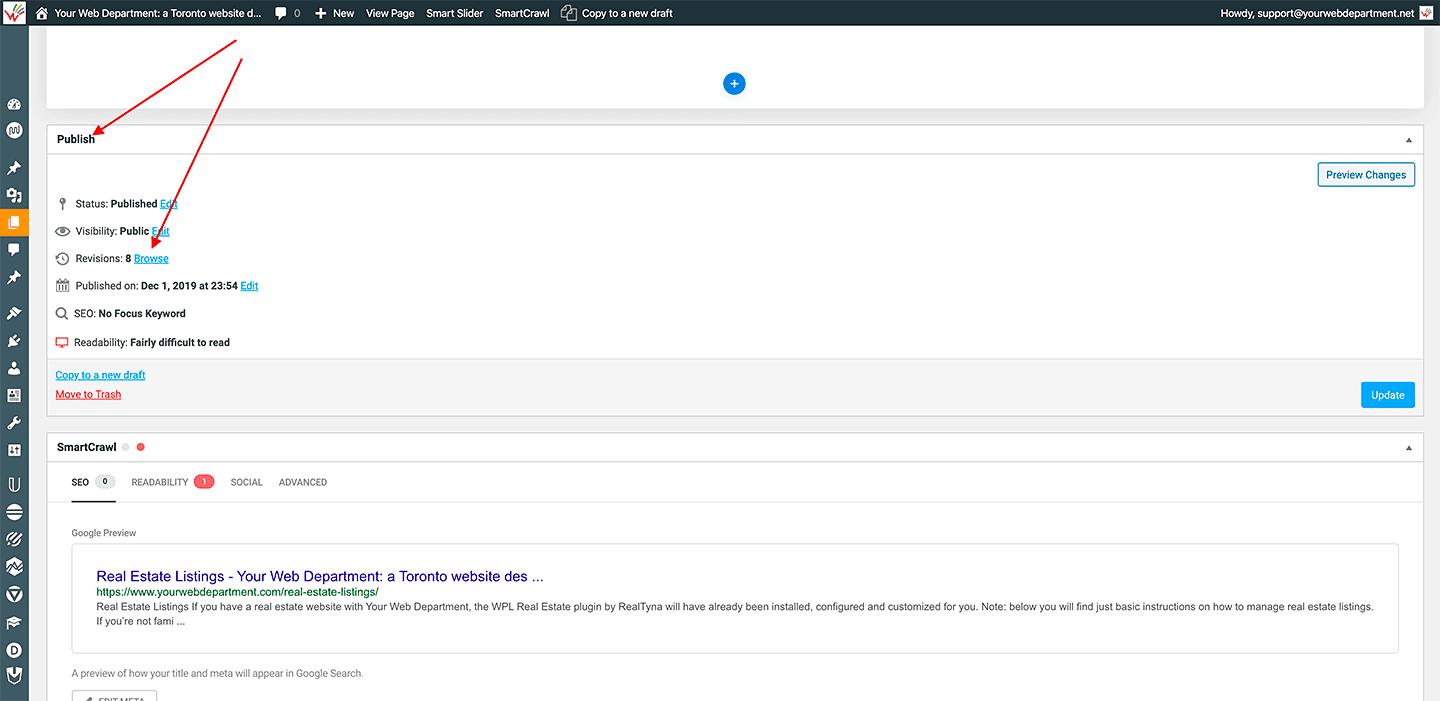
To access the revisions saved for any page or post, scroll down to the Publish section and click the Browse link located beside the Revisions number.
Restoring the Revision
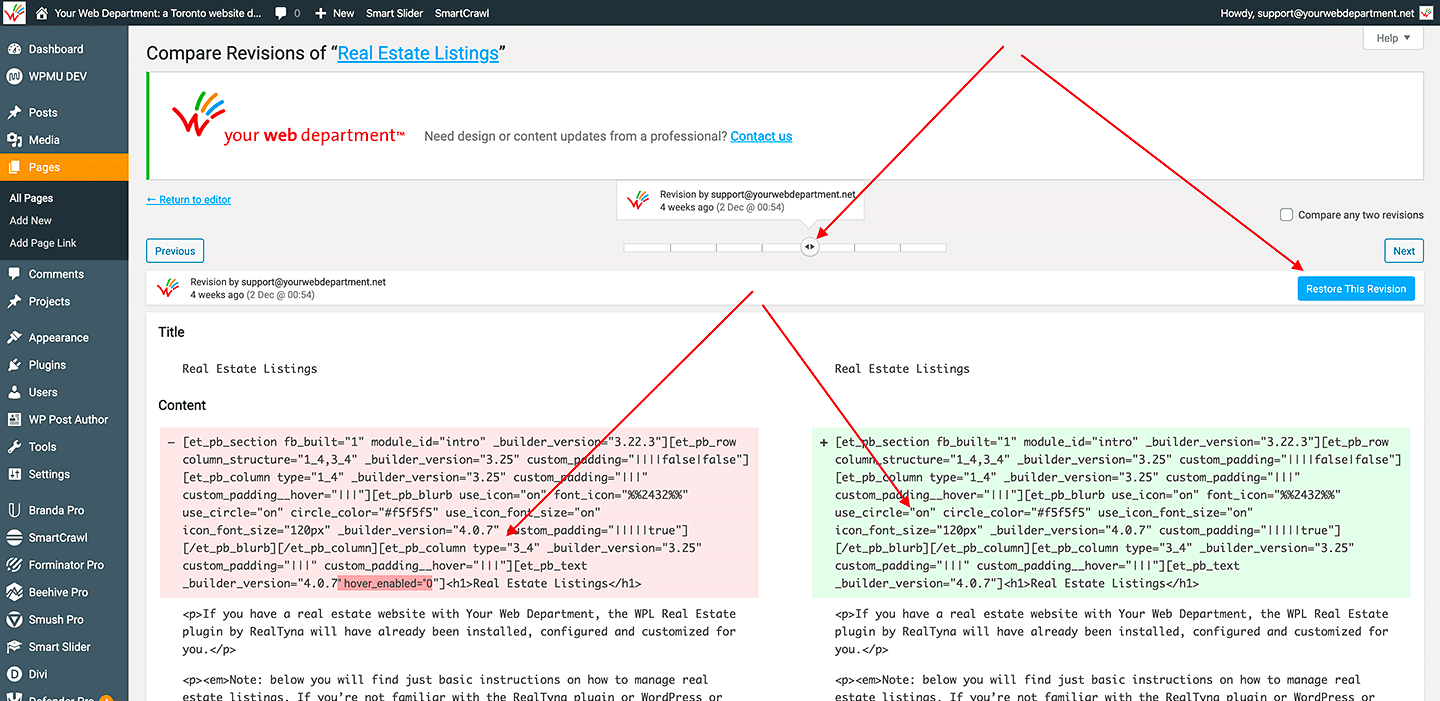
Use the slider to go back in time to any previously published version of the page or post. The date and author of each revision will be shown as you drag the slider. Also, the differences between the pages will be highlighted, which can be very helpful especially if you’re at least a bit familiar with HTML.
If you find the revision you’re looking for, click the Restore This Version button.
Still Need Help?
Tell us what’s going on and we’ll get back to you by email.